How nobardak groups reminders
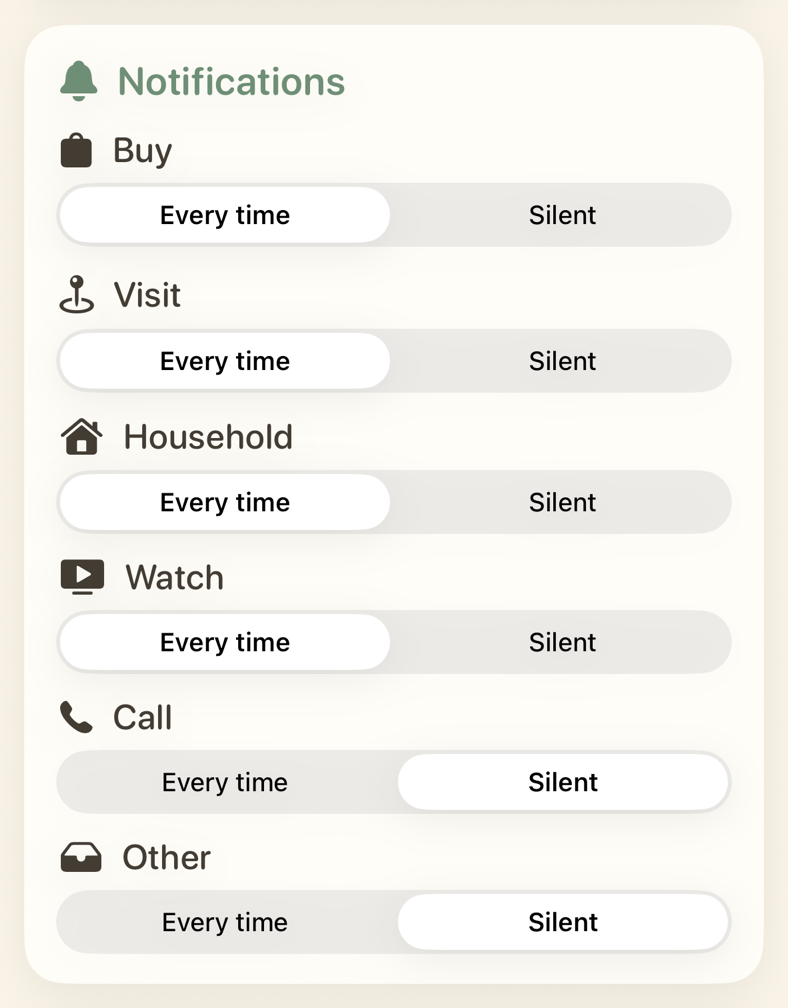
nobardak sorts reminders into categories: buy, visit, household, watch, call, and other. Each category has its own notification setting. While nobardak is open, results appear in the Timeline instead of as notifications.
Choose a setting for each category
Each category has one of two settings:
- Every time — a notification when a reminder is ready.
- Silent — no notifications. The Timeline still shows the change.
For example, set shopping reminders to Every time and household reminders to Silent.
Why does Shortcuts show its own notification?
The Shortcuts app may also show its own notification when the automation runs nobardak in the background. This is normal and doesn't depend on nobardak's per-category notification settings.
Every change also appears in Timeline and Undo.